

How do I set up and manage rewards for my Fun Run?
MyFunRun’s built-in Rewards Tracker makes it easy to keep track of the prizes or incentives students earn as they reach different fundraising levels.
Before you get started
To use the Rewards Tracker, your MyFunRun Program Manager must first set up your rewards levels.
Provide your Program Manager with:
- A list of the prizes or incentives you would like to offer
- The fundraising amount required to reach each reward level
Once your rewards have been set up, you can manage them directly from your dashboard.
Access your Rewards Setup
From your dashboard, go to:
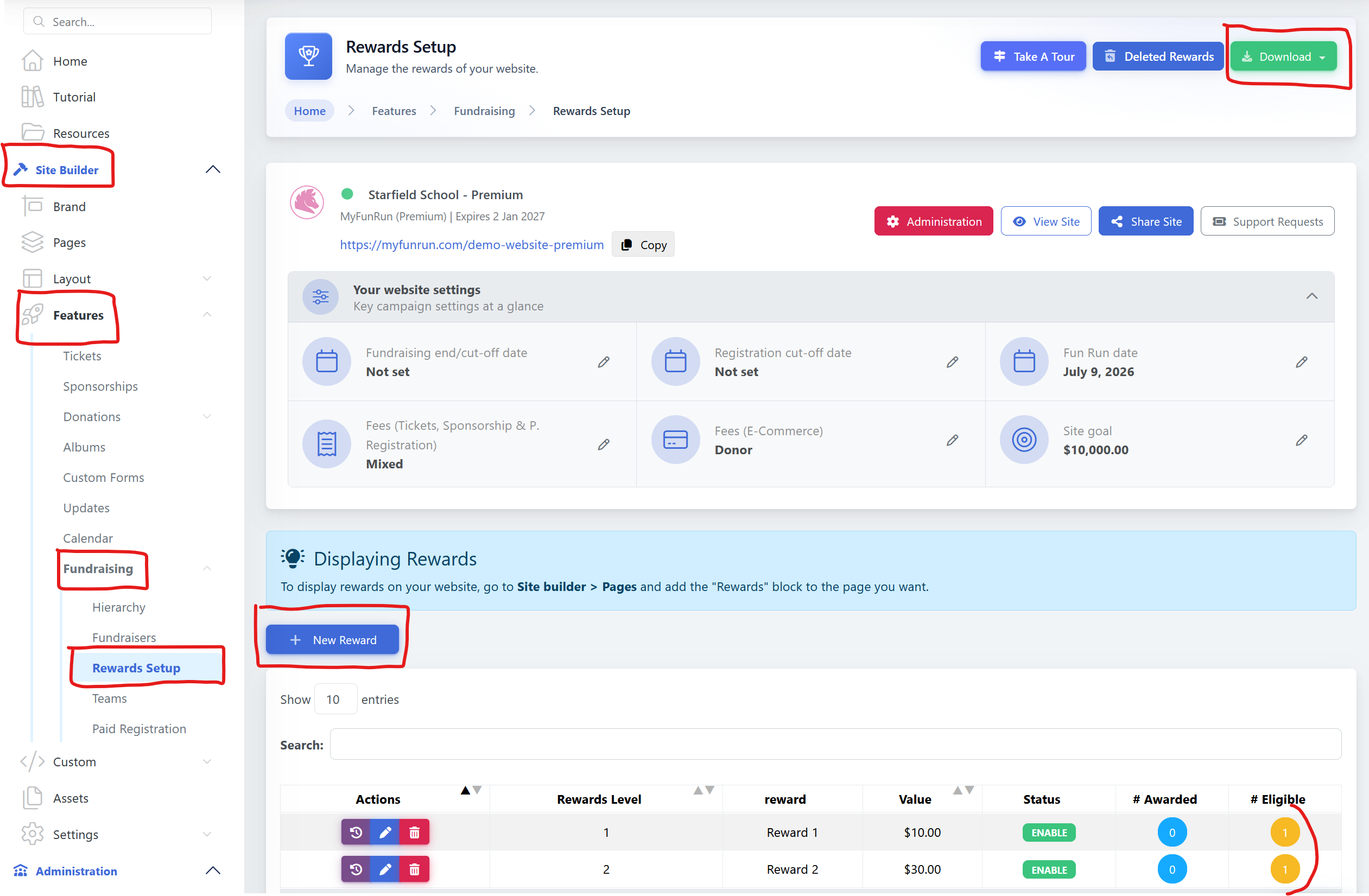
Site Builder → Features → Fundraising → Rewards Setup
Here, you'll see all of the reward levels that have been set up for your Fun Run.
You can review the reward name, fundraising amount, status, and the number of students who are eligible for or have already received each reward.
Add a new reward
If you need to add another reward level, click the + New Reward button.
You can then enter the information for the new reward.
Note: If your rewards system requires a change to the original reward structure, you may want to contact your MyFunRun Program Manager for assistance.
See who is eligible for a reward
For each reward level, you'll see two columns:
# Eligible — The number of students who have reached the fundraising amount required for this reward but haven't been assigned the reward yet.
# Awarded — The number of students who have already been given this reward.
Click the number in the # Eligible column to see the students who qualify for that reward.
Assign a reward to students
Once you have given a student their prize:
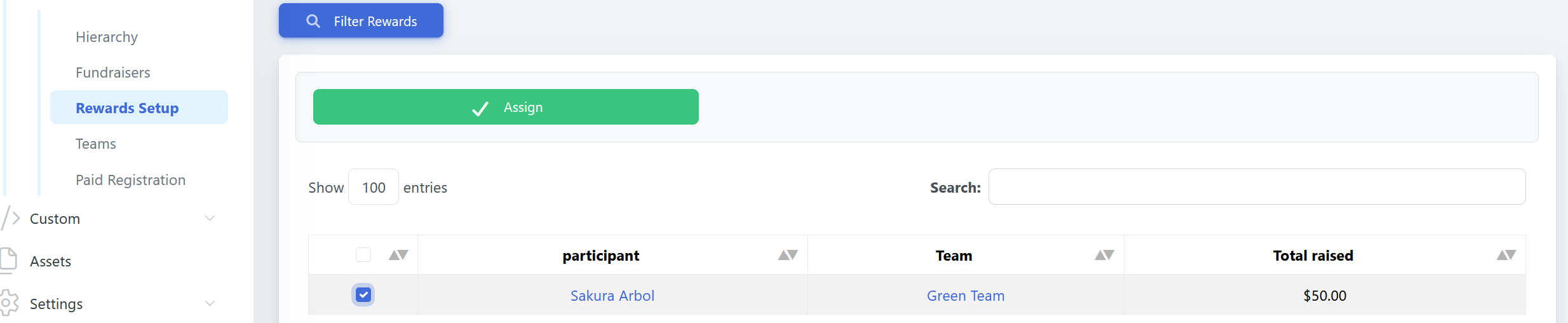
- Click the number under # Eligible for the appropriate reward level.
- Select the checkbox next to the student's name.
- Click the green Assign button.
- The student will move from the # Eligible column to the # Awarded column.
This makes it easy to keep track of which students have received each prize and which students are still waiting for theirs.
Download your rewards information
You can also download the information displayed on the Rewards Setup page.
Click the green Download button at the top-right of the page and choose from the available file formats.
This can be useful if you want to keep a spreadsheet of your rewards, share the information with your school or PTO/PTA team, or use it when preparing and distributing prizes.