

You are able to hide your fundraisers by either allowing the display search for participants to only show if the name is searchable, or simply not provide their names and just fundraise with Teams, Grade, or Class!
Visit Site Builder → Settings → Fundraisers and find Fundraisers Setting.
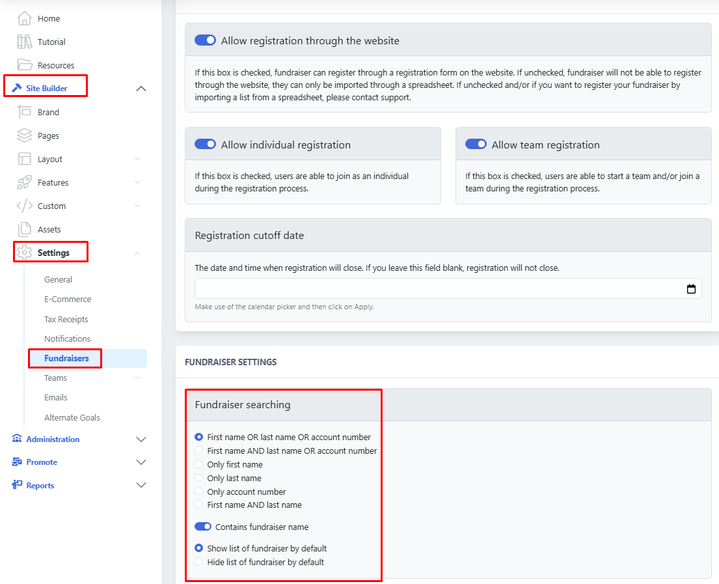
You have a few options:
- First name OR last name OR account number
- First name AND last name OR account number
- Only first name
- Only last name
- Only account number
- First name AND last name
The system generates an ID / Number in order to keep the privacy of your students.
You can also change the format of the fundraiser's name. Click here to learn more.
Contains the fundraiser name, would only filter and show if the word being searched is part of a fundraiser name. For example, if you search for "Ma", it will show Maria, Marcelo, and Malcon.
- Show the list of fundraisers by default
- Hide the list of fundraisers by default - This will hide EVERYTHING from the searching list, which means neither grades, teams, nor participants would show.