

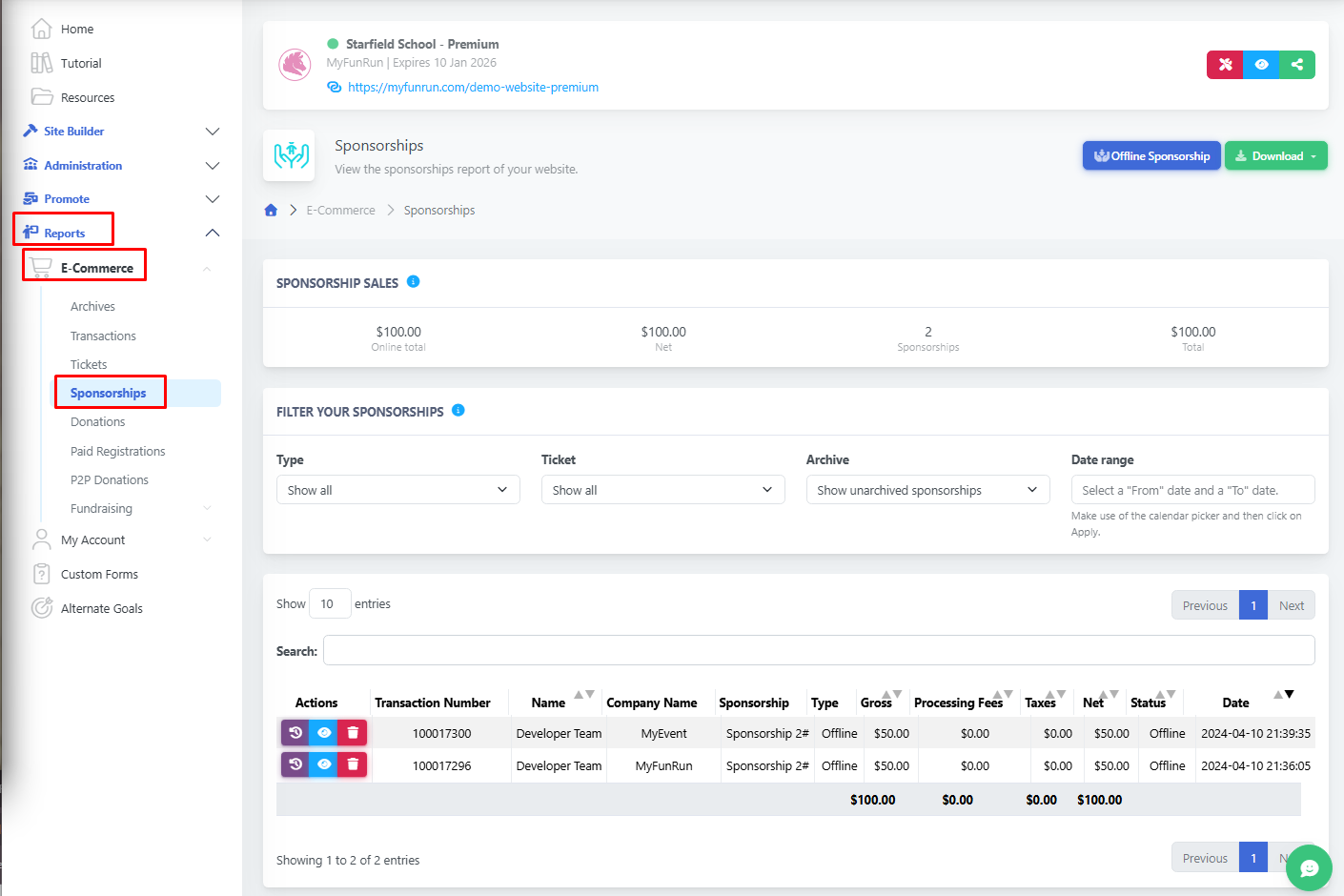
The Sponsorship Report contains a list of all the Sponsorships that have been purchased (online and offline).
By default, this report includes all transactions (online and offline). You can filter the report to view only online transactions or only offline transactions by using the "Type" dropdown. The report can also be filtered by date range.
Visit Reports → E-Commerce → Sponsorships.
You can also click on any transaction to see more details. If someone made several purchases at once, you’ll see all of them together. From here, you can also archive a transaction or download a PDF with its details.
To view the transaction history, click the purple history icon. To view transaction details, click the blue eye icon, or archive them in the red bin icon.
If you click on the blue eye icon, you are able to edit the transaction and change the Sponsorship image, or add one if they don't have one! Update the sponsor company name and URL.
To add an offline sponsorship, learn more here.
You can download the transactions in CSV, XLSX, or XLS format, or Archive all of the transactions.
You can review transactions by date range, already archived, or separate them via online or offline options.
Note: This feature is only available on the Premium package.