

Adding a Manager to Help With Your Fundraising
If you’re not organizing the fundraiser on your own, you can easily add a co-organizer or an additional manager to help you run your Fun Run.
To add a co-organizer or another manager:
Ask your co-organizer to create an account at https://myfunrun.com/.
Once their account is active, you can either:
-
Invite them as a Manager directly through your MyFunRun dashboard, or
-
Send their email address to our team, and we will assign them as a Manager for your school.
Why add a co-organizer or manager?
-
Both organizers can submit requests, review reports, and make updates
-
Communication stays clear and consistent
-
Access is restricted to authorized users only
Requests from individuals who are not listed as organizers or managers cannot be processed for privacy and security reasons.
Important Security Note
To protect your school and your fundraisers’ information, any requests coming from users who are not recognized as managers or organizers may be flagged as spam by the system.
Once the user has created an account, head to Administration → Managers.
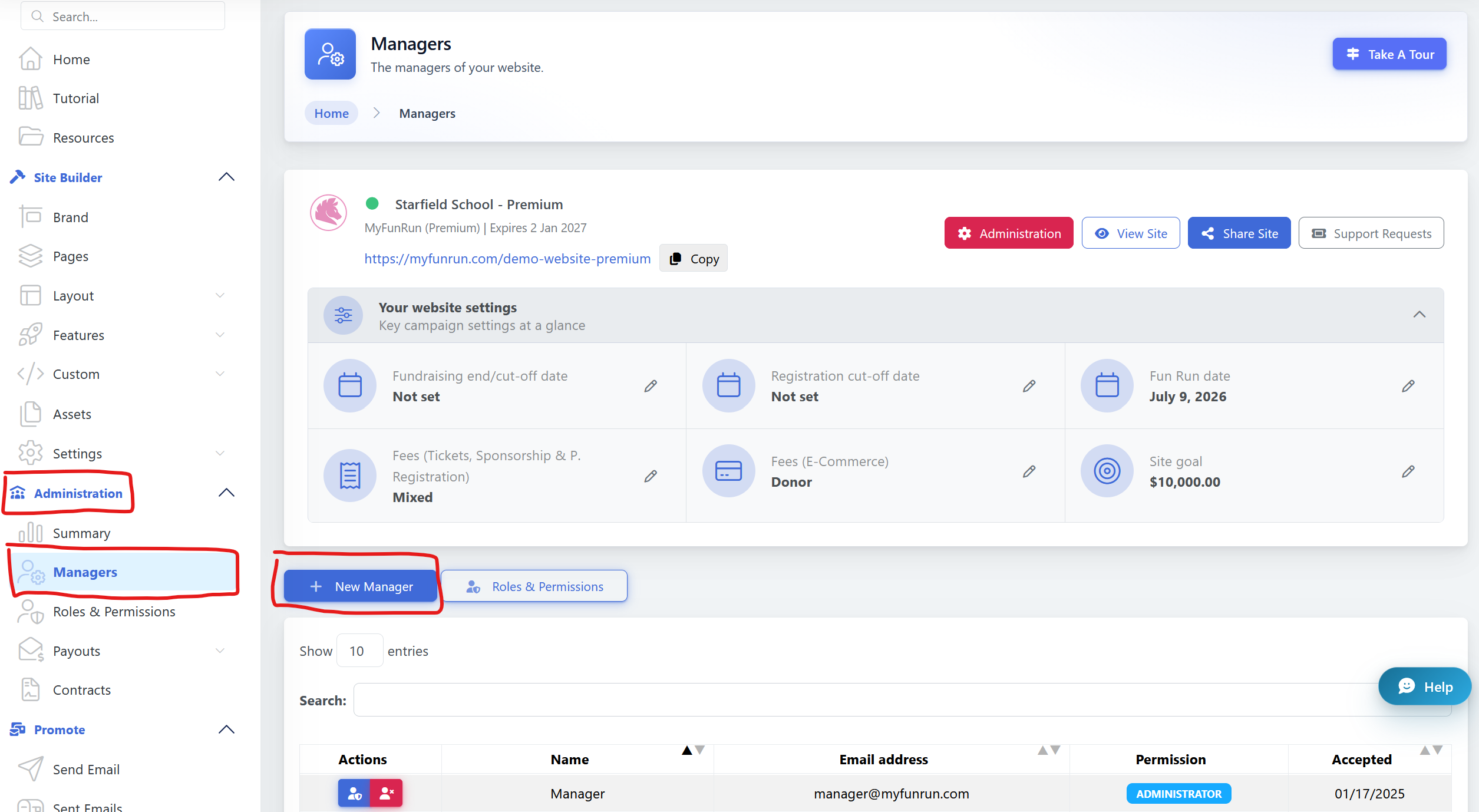
Add the e-mail of the designated person to be set as a manager to complete the process.
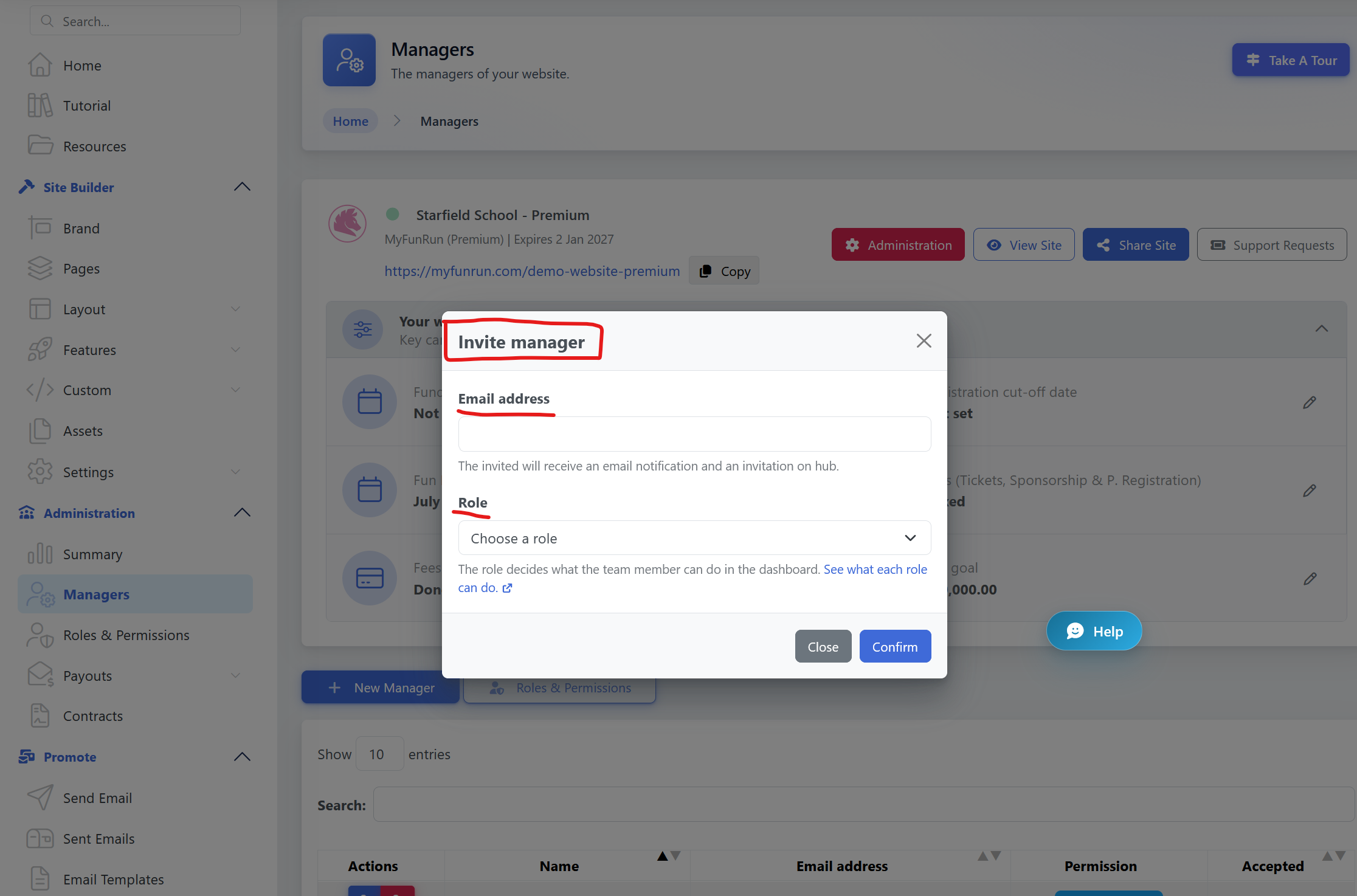
Want to control what your manager can access?
You can assign different roles and permissions to your managers, depending on what they need to do. See Roles & Permissions to learn more about the available roles and how access works.
Feel free to contact Support or your Program Manager assigned to your Fun Run to help you if necessary.