
Multiple Edits
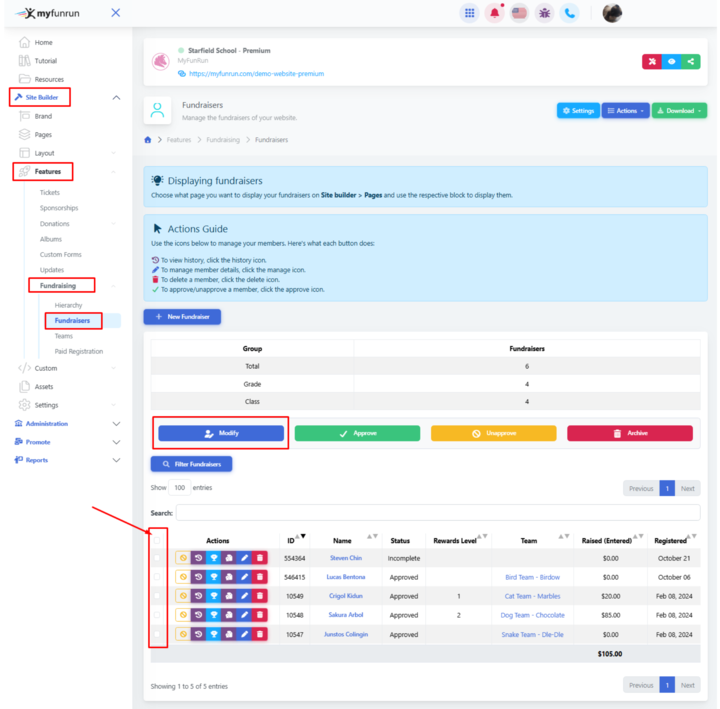
To make changes to many or all fundraiser profiles (goal, team, description, etc.) at the same time, check the boxes for the fundraisers you want to modify (or check the top box to select all), Site Builder → Features → Fundraising → Fundraisers select the check boxes for the respective fundraisers you would like to edit then click on Modify.
Save your changes, and the changes will be applied to all the fundraisers you selected.