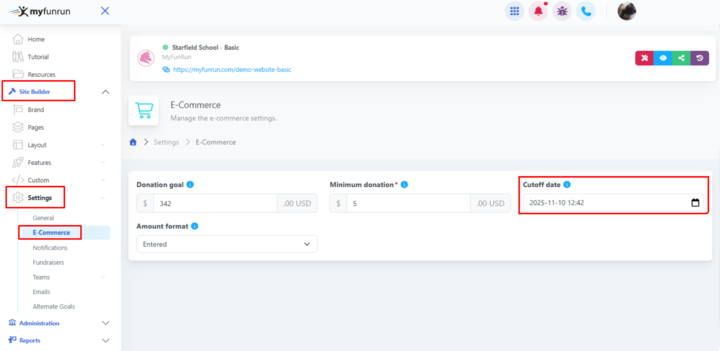

The Donation Cutoff Date setting allows you to set a date after which donations will no longer be accepted on the site. If you want to end/close donations on your site at a specific date, you can set it here.
If you want to continue to allow donations through the site indefinitely, leave this setting blank (No cutoff date).
PRO TIP: The majority of schools prefer to have this date set to a day or after the fundraising end date. It's not uncommon for a few late donations to stream in, so leaving a few days of padding is suggested, as people will be unable to donate after the Cutoff date.
To change the Donation Cutoff Date setting, visit Site Builder → Settings → E-Commerce.