

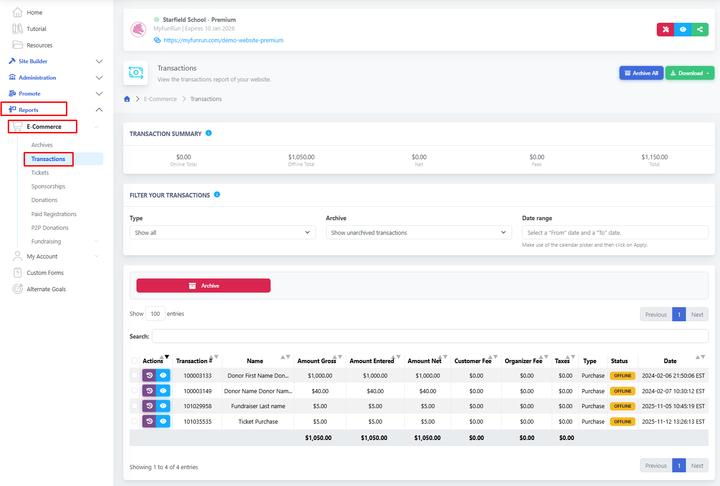
The Transactions Report contains a record of every transaction that occurs on your website.
By default, this report includes all transactions (online and offline). You can filter the report to view only online transactions or only offline transactions by using the "Type" dropdown. The report can also be filtered by date range.
Visit Reports → E-Commerce → Transactions.
You can also click on any transaction to see more details. If someone made several purchases at once, you’ll see all of them together. From here, you can also archive a transaction or download a PDF with its details.
To view the transaction history, click the purple history icon. To view transaction details, click the blue eye icon.
You can download the transactions in CSV, XLSX, or XLS format, or Archive all of the transactions.
You can review transactions by date range, already archived, or separate them via online or offline options.