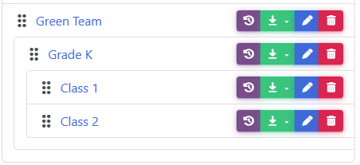

Every school organizes Grades, Classes and Teams differently!
The MyFunRun platform allows you to create as many teams or levels and sub levels as you need to accommodate your school Fun Run structure!
To Add a new Team/Class/Grade, go to Site Builder → Features → Fundraising → Teams and click on the New Team button.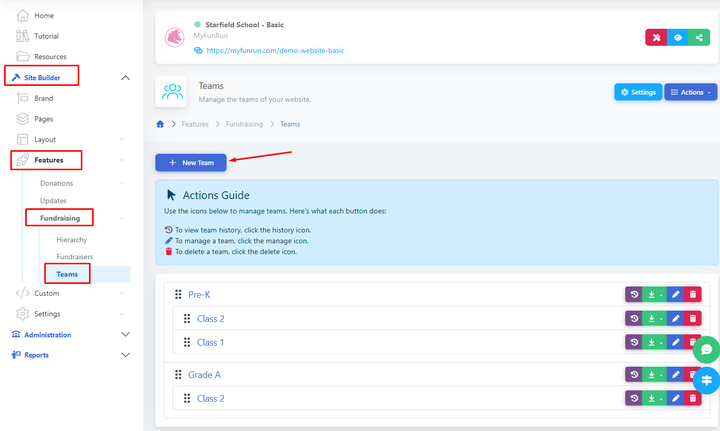
To Edit an existing Team/Class/Grade, click the pencil icon of that team/class/grade.

To Delete an existing Team/Class/Grade, click the garbage icon of that team/class/grade.
You cannot delete a Team if the team has Participants or sub-teams.
To Merge teams, drag one inside the other. You can add as many classes as inside a Grade. You can also add a Grade inside another Team to make a third level of team.